


About the App
See what is happening in your Marvel Rivals matches and review the moments behind your results.
DeepRivals brings live hero suggestions, team information and match stats into your game. After the match, use contextual clips, matchup history and a session dashboard to see what worked and what needs attention.
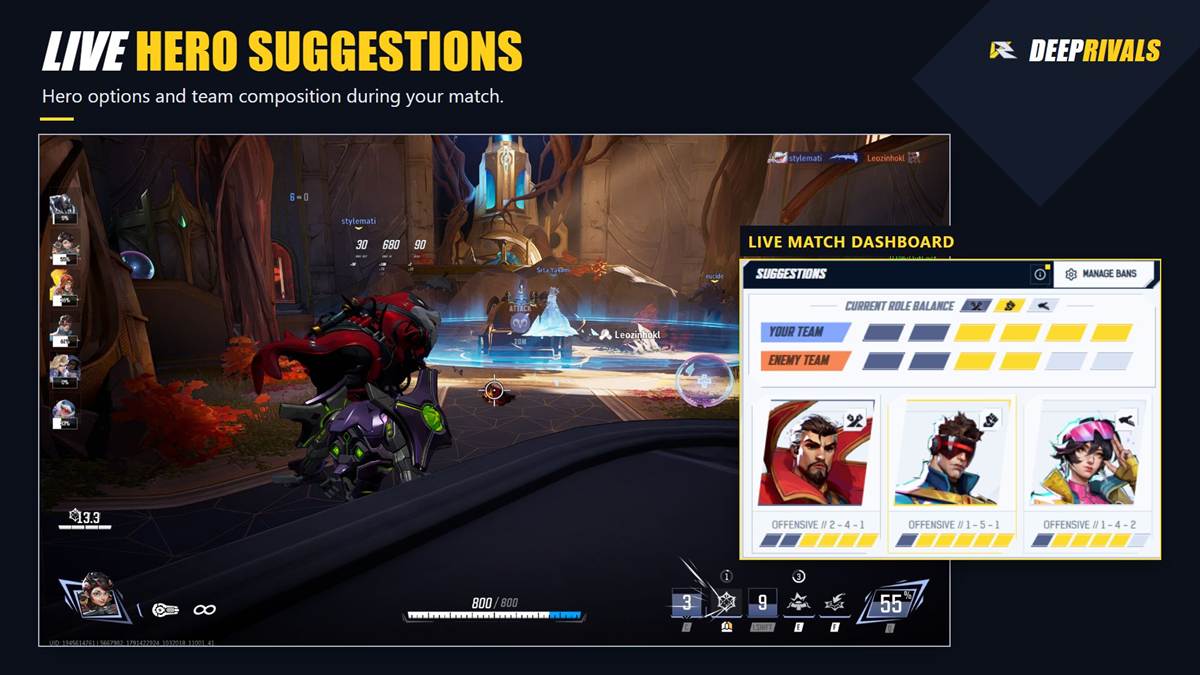
LIVE HERO SUGGESTIONS
Explore hero options based on the live match context and team composition. Follow recent hero changes and review the role balance of both teams from the Live Match dashboard.
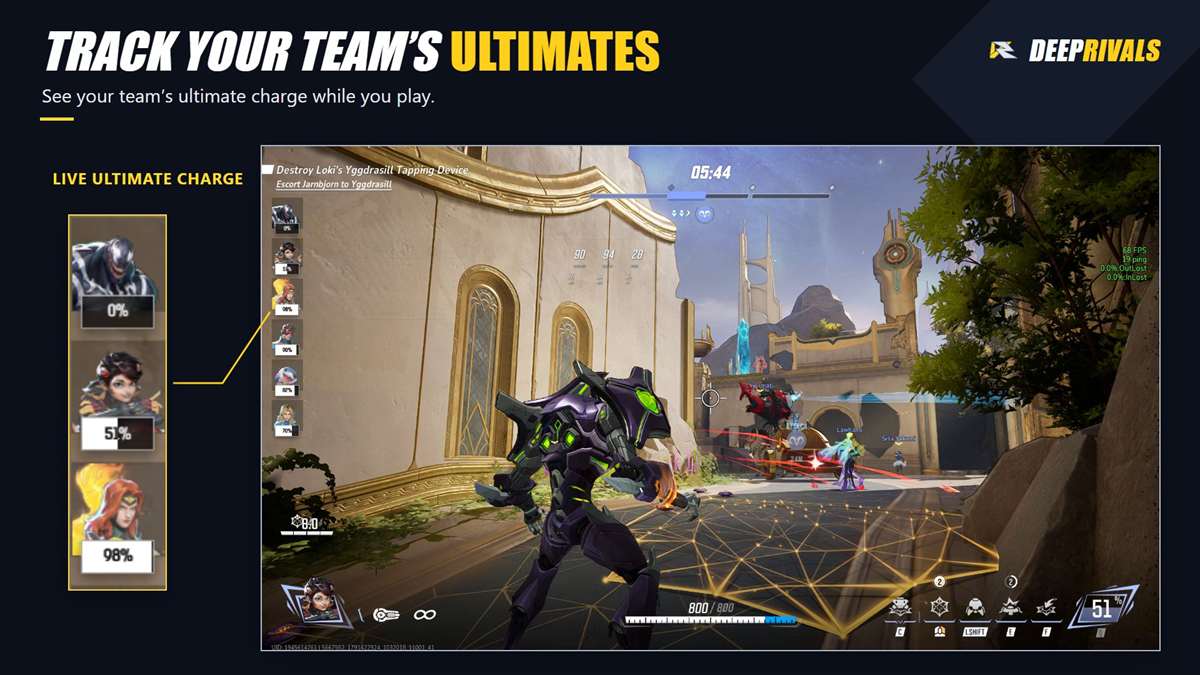
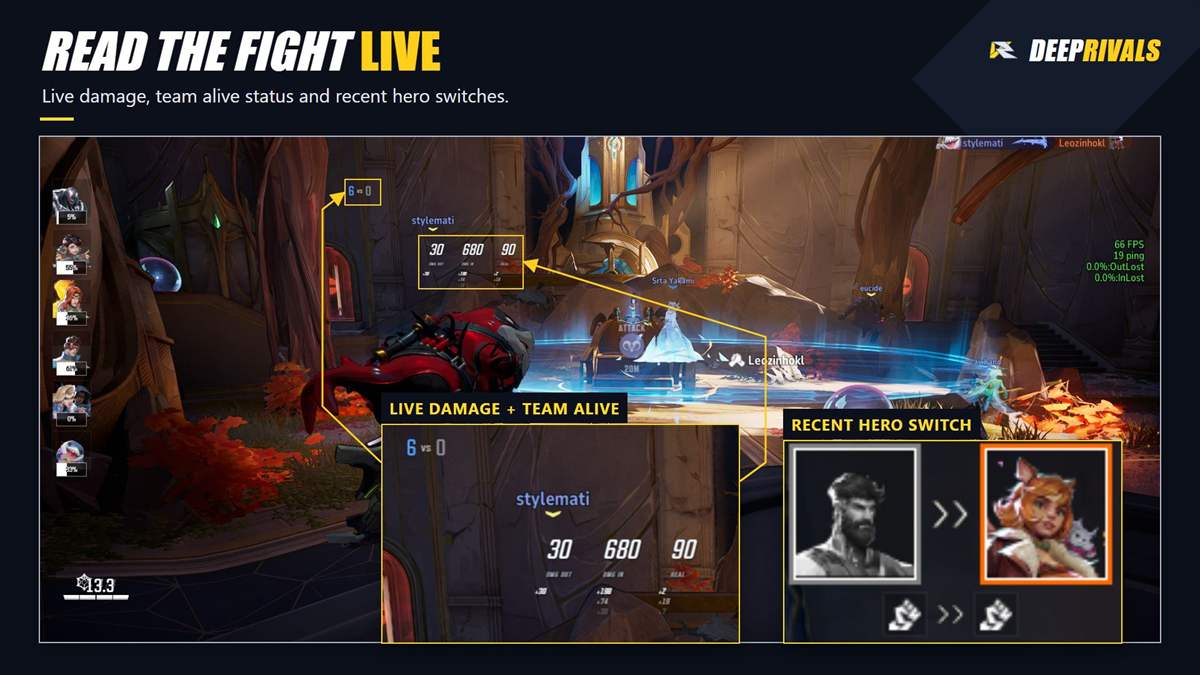
TEAM INFORMATION WHILE YOU PLAY
Keep useful information close with in-game overlays for allied ultimate charge, recent hero switches, team alive status, KDA, damage recap and performance. Move and resize overlays to suit your layout.
REVIEW THE MOMENTS BEHIND YOUR RESULTS
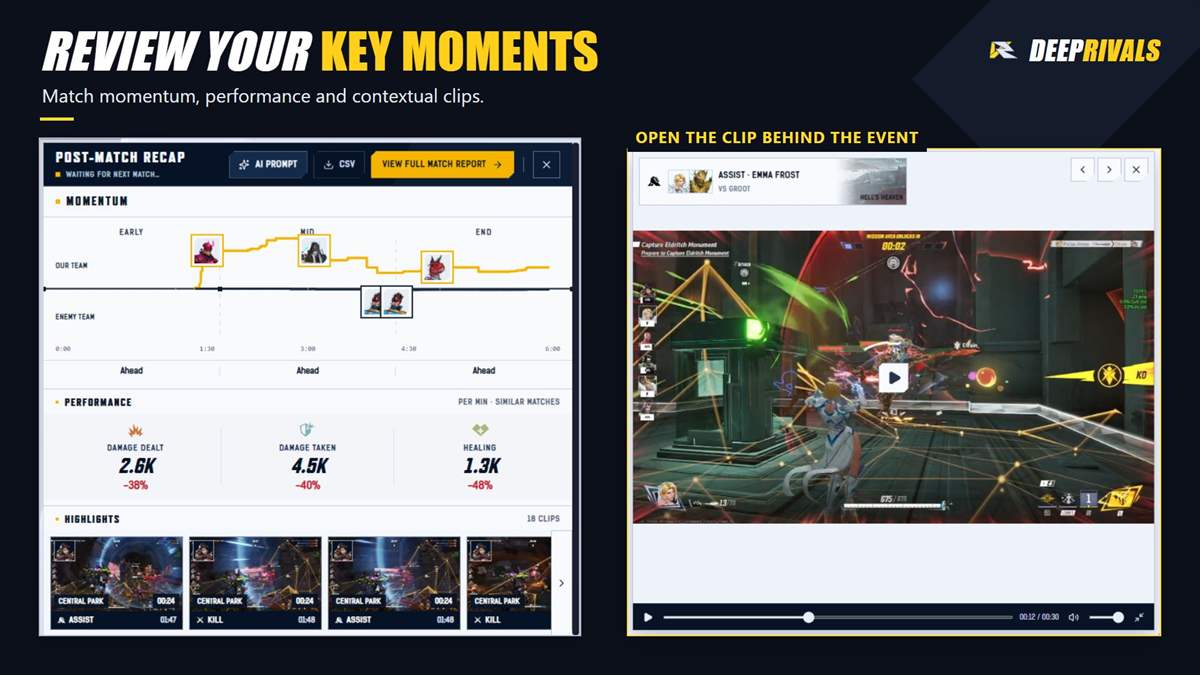
Review automatically captured highlights with match and hero context. Find clips by hero, opponent hero, map, mode, event, match or date, then open the moment you want to revisit.
POST-MATCH RECAP
See match momentum, performance and highlights in one recap. Open the full match report for a closer look at the match timeline and your damage, damage taken and healing.
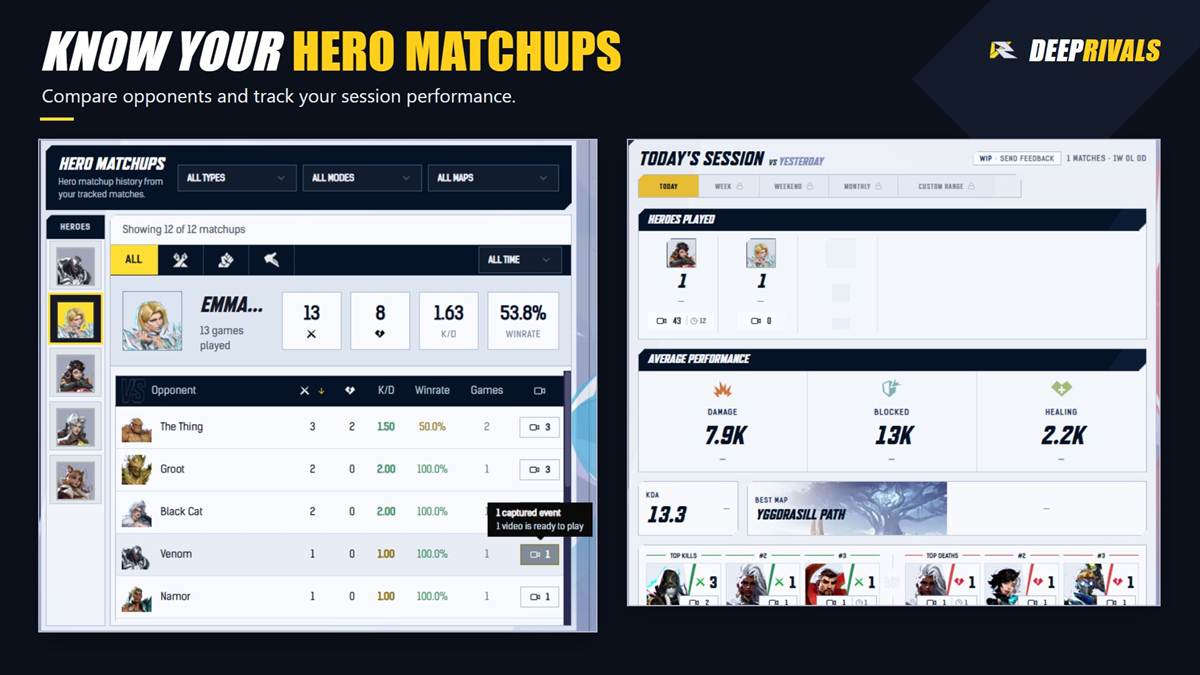
HERO MATCHUPS AND SESSION STATS
Track wins, losses, heroes played, KDA and performance across your sessions. Compare hero matchups by opponent, map and mode, and revisit linked clips to understand the encounters behind the numbers.
SECOND SCREEN SUPPORT
Follow your live match information on another monitor, then return to your match history and highlights between games.
Set up the information you want to follow during the match, play, and review your tracked matches afterward.
App Info
 Overwolf Client (39.2MB)
- 6.8.6
- Oct 26th, 2026

 In-App Ads