
About the App
Your Roblox time. Your Backpack.
See where your Roblox time goes, revisit your sessions and keep your items and useful moments organized. Roblox Backpack Tracker brings Activity, automatic playtime tracking and your personal Backpacks together.
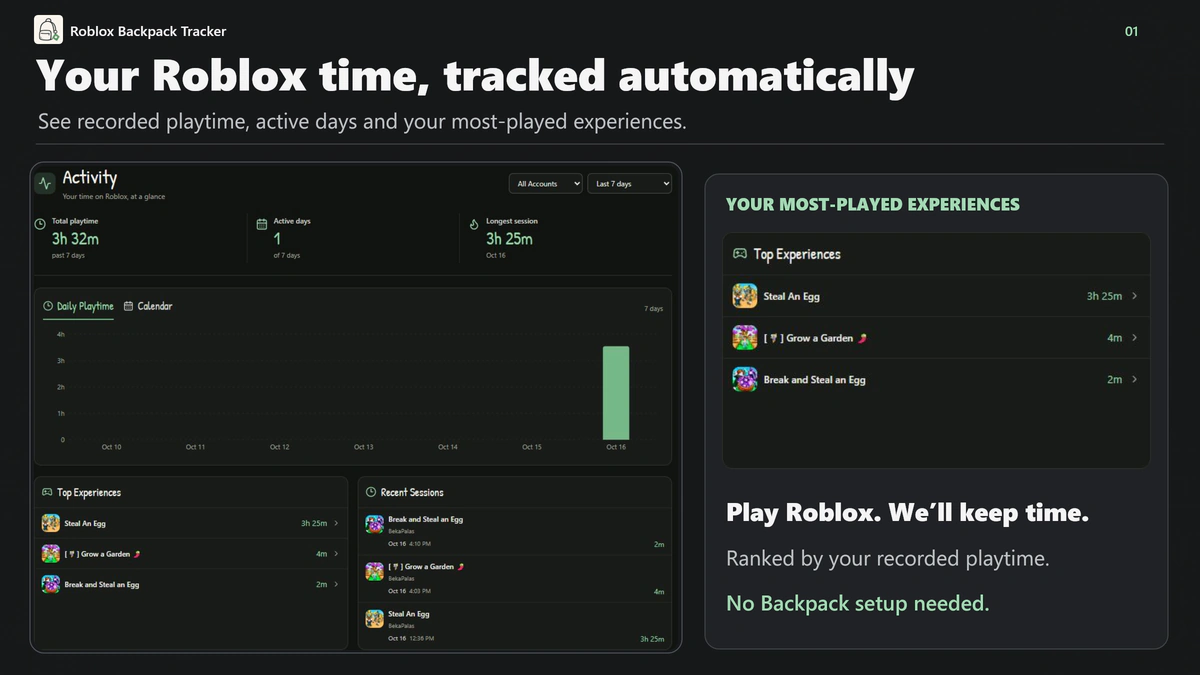
Discover your most-played experiences
Play Roblox and let the app record your time automatically while tracking is available. No Backpack setup is needed to start collecting Activity.
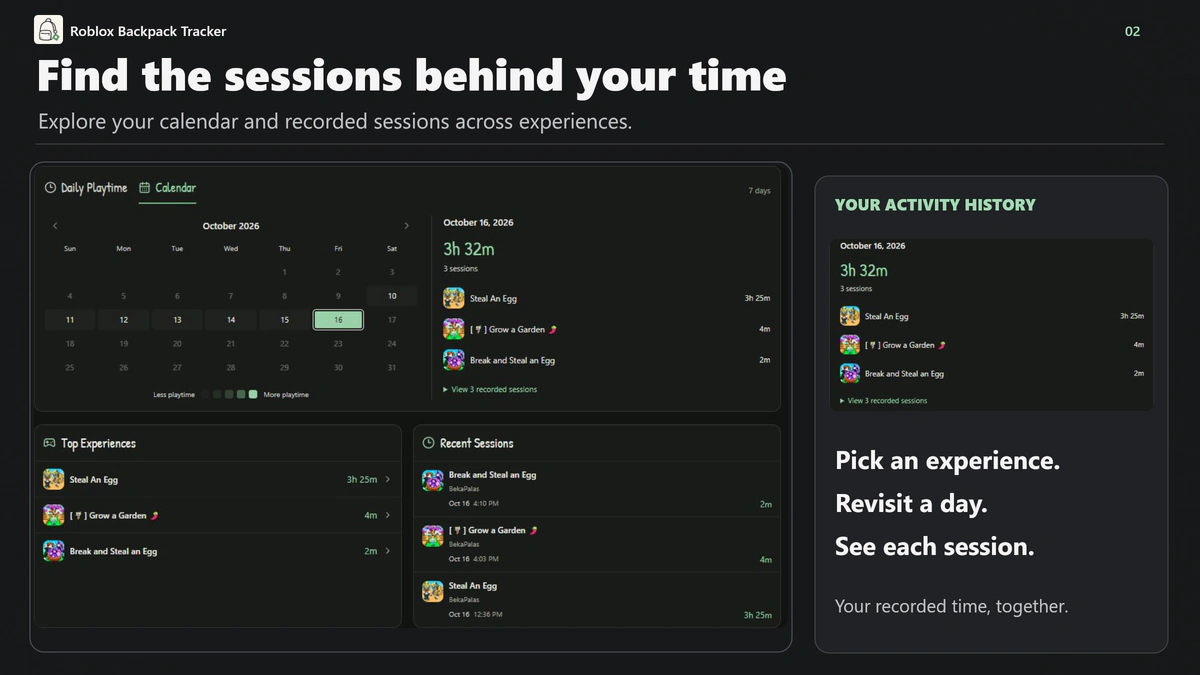
Open Activity to explore:
- Total recorded playtime, active days and your longest session.
- Top Experiences ranked by your recorded time.
- Recent sessions with experience names, dates and durations.
- Daily playtime charts and a calendar to revisit a particular day.
- Account and date filters, plus session history for each experience.
Keep your Backpack organized your way
Manage your items manually: add names and quantities, choose categories and keep a Backpack for each Roblox experience and account. Set optional personal item values with My Values and follow your estimated Backpack value in Archive. Estimates use the values you enter.
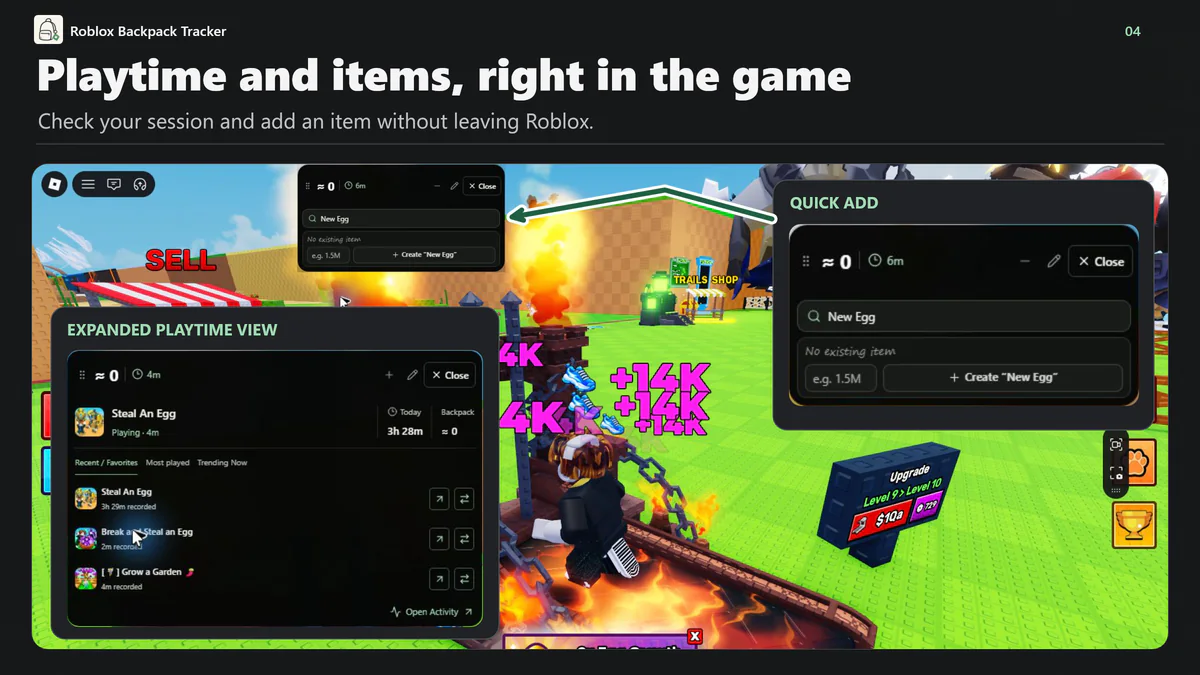
Keep your companion in-game
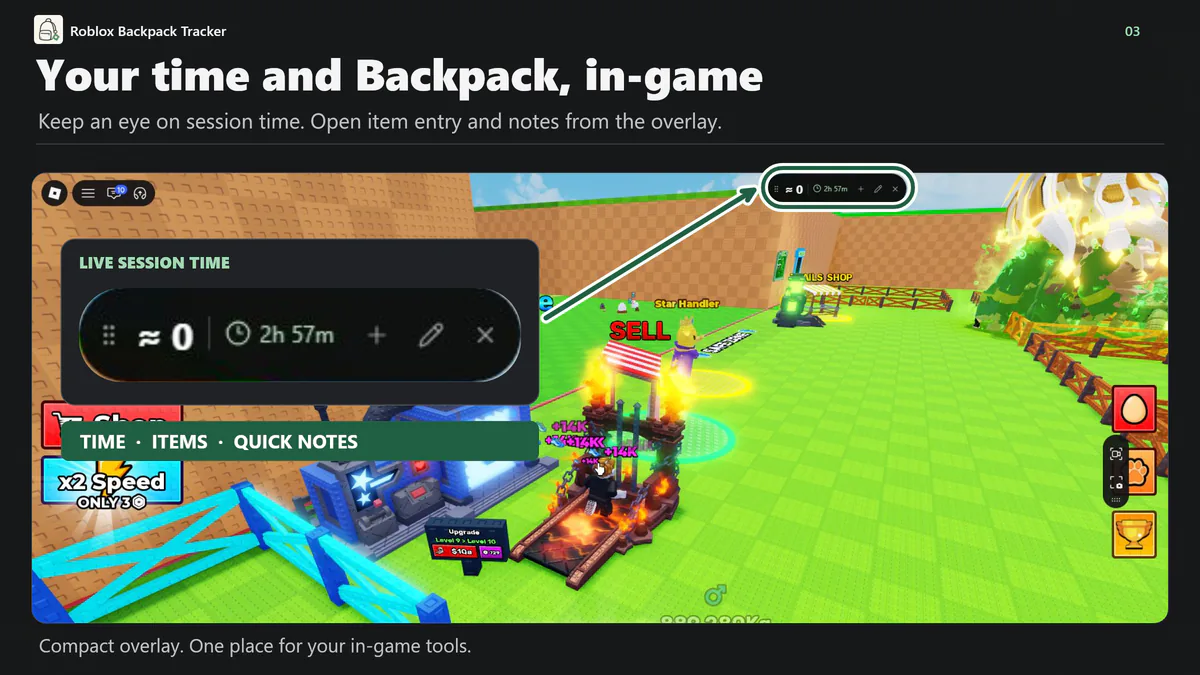
Check the live session timer from the compact overlay, open Quick Add to update items, or use the pencil to save a quick note while you play. Review Activity and manage your Backpacks on desktop.
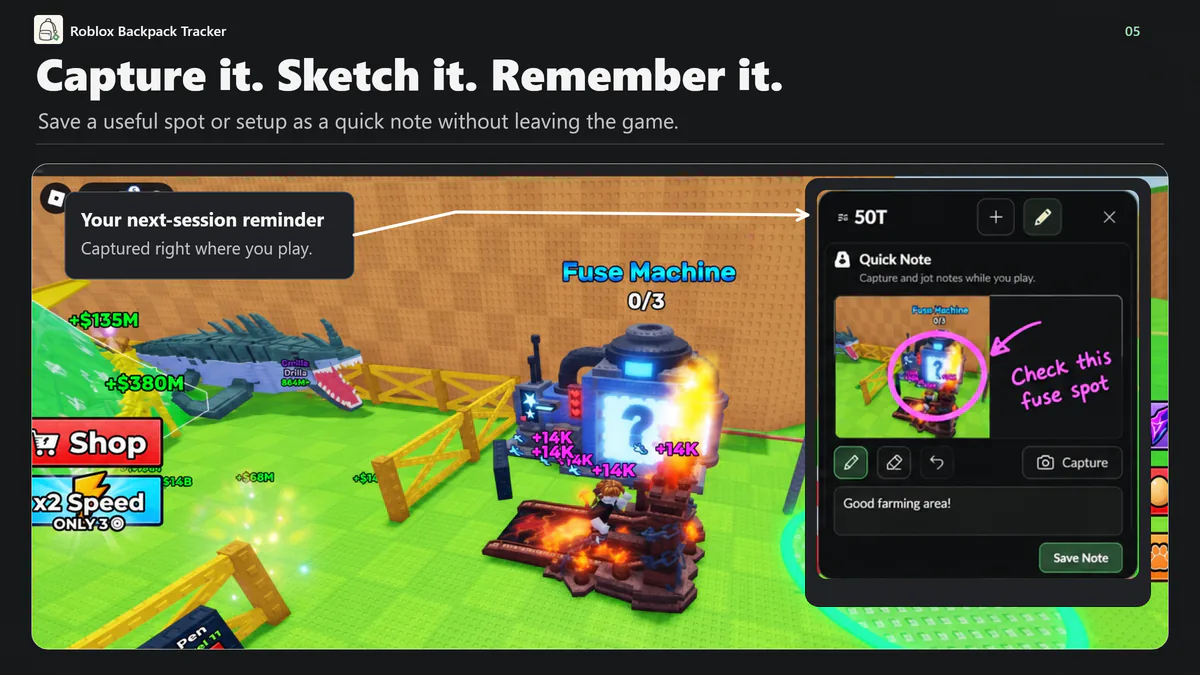
Capture it. Sketch it. Remember it.
Found a useful farming spot or a setup worth trying again? Capture a screenshot, sketch a reminder and save a note from the overlay. Find your captures later in Session Notes.
Automatic playtime. Your items. Your notes. One place to return to.
App Info
 Overwolf Client (15.8MB)
- 1.0.9
- Oct 28th, 2026

 In-App Ads